
⚙️ Maven Goals Cheat Sheet for DevOps Engineers
As a DevOps Engineer, understanding Maven Goals Cheat Sheet and Maven’s core goals and lifecycle is essential for setting up efficient CI/CD pipelines, managing build artifacts, and ensuring reliable deployments. This Maven Goals Cheat Sheet gives you a quick overview of Maven commands that are particularly useful in DevOps workflows.
🧱 Core Maven Commands for Build Automation
These commands are essential for defining steps in your CI/CD pipeline:
-
mvn clean
Cleans thetarget/directory — ideal for fresh builds in CI environments. -
mvn compile
Compiles Java source code. Often the first step after checking out the repo. -
mvn test
Executes unit tests. Commonly used in the Test stage of CI pipelines. -
mvn package
Packages the application into.jaror.warfor deployment or publishing. -
mvn install
Installs the built package into your local Maven repository (~/.m2). -
mvn deploy
Deploys the artifact to a remote repository like Nexus or Artifactory — a key step in CD.

🔁 Maven Lifecycle for CI/CD Pipelines
Default Lifecycle:
-
validate– Check if the project is valid and complete. -
compile– Compile source code. -
test– Run unit tests. -
package– Bundle the application. -
verify– Run integration checks. -
install– Store the build locally. -
deploy– Push to remote repo for release or distribution.
🛠 Useful Plugin Goals for DevOps
| Plugin | Goal | Command | Why DevOps Cares |
|---|---|---|---|
| surefire | test | mvn surefire:test | For automated unit testing |
| failsafe | integration-test | mvn failsafe:integration- test |
Run integration tests separately |
| site | site | mvn site | Generate reports and project documentation |
| dependency | tree | mvn dependency:tree | Troubleshoot dependency conflicts |
| versions | display-dependency- updates |
mvn versions:display- dependency-updates |
See outdated dependencies |
| deploy | deploy | mvn deploy | Automate artifact uploads to repositories |
🔍 Testing & Quality Gates in Pipelines
-
mvn test– Run all unit tests. -
mvn -Dtest=ClassName test– Run specific test class. -
mvn verify– Run integration tests and final checks (Failsafe plugin).

📦 Artifact Repository Integration
Define remote deployment in your pom.xml:
<distributionManagement>
<repository>
<id>releases</id>
<url>https://nexus.example.com/repository/releases</url>
</repository>
</distributionManagement>
Use mvn deploy to publish artifacts from CI/CD.
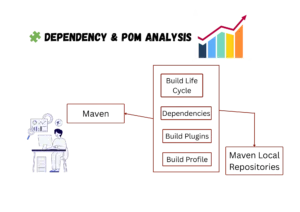
🧩 Dependency & POM Analysis
-
mvn help:effective-pom— See the full resolved POM. -
mvn dependency:analyze— Find unused or missing dependencies.
🔄 Updating Dependencies
-
mvn versions:display-dependency-updates– Show available dependency updates. -
mvn versions:use-latest-versions– Upgrade dependencies automatically.


✅ CI/CD Integration Tips
-
Always use
--batch-modein pipelines:mvn clean install --batch-mode. -
Cache
.m2/repositoryto speed up builds. -
Securely pass Maven credentials through CI secrets or config files.
Devops Multi cloud Training
Choose the training style that fits your schedule — Self-Paced or Live Interactive Sessions. Both include hands-on projects, expert support, and lifetime access.
| Feature | Self-Paced Training | Live Training |
|---|---|---|
| 🎯 Mode | 🎥Pre-Recorded Session | 🧑🏫Live Class + Recordings |
| 💼 Projects | 🕒 Weekend Real-Time Projects | 📅 Weekdays + Weekend Real-Time Projects |
| ❓ Doubt Clearing | 📞 Weekend Live Support Session | 🧠 Anytime Doubt Clearing Session |
| 👥 Career Support & Mentorship | ❌ No | ✅ Yes |
| 🎓 Global Certification Training | ❌ No | ✅ Yes |
| 🔑 Access | ♾️ Lifetime Access | ♾️ Lifetime Access |
| 💰 Fees | ₹4,999 (2 x ₹2,500) | ₹7,999 (2 x ₹4,000) |
| ℹ️ For More Info | Explore Self-Paced Training |
Explore Live Training |