
Step 1: Sign into AWS
Go to your AWS Management Console and access the EC2 dashboard.
Step 2: Launch an EC2 Instance
- Click on “Launch Instance”
- Choose “AWS Marketplace”
- Search for “Bitnami WordPress” and Select the “Bitnami AMI”.
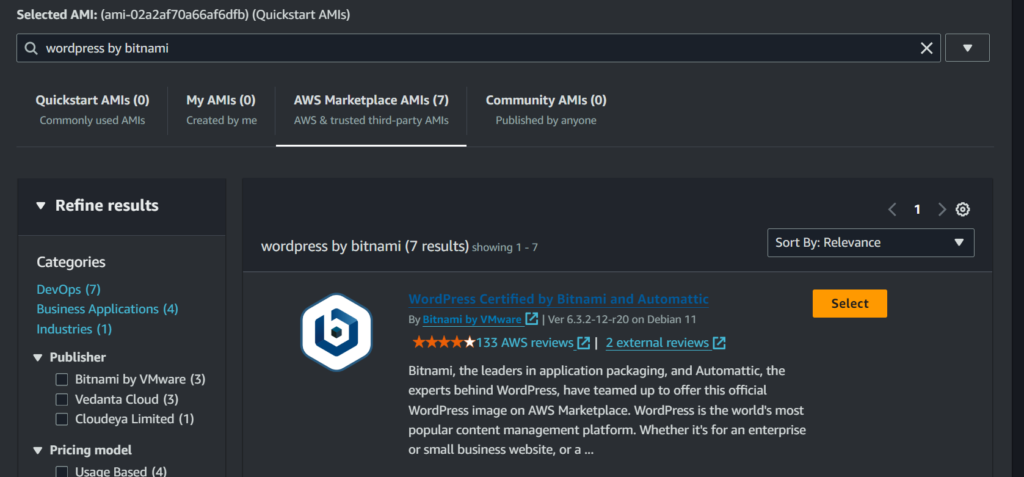
Step 3: Configure Instance
Use the following settings:
AMI: bitnami-wordpress
Instance Type: t2.micro
Key Pair: ppk file format
Firewall (security groups): ssh, http, https
Configuration Storage: 8 GB, gp2
Number of Instances: 1

Step 4: Creating Hosted Zones and Records in Route 53
- Access Route 53:
1. Log into the AWS Management Console.
2. Go to the Route 53 dashboard. - Create Hosted Zone:
1. Enter your domain name (e.g., example.com).
2. Click “Create Hosted Zone”.
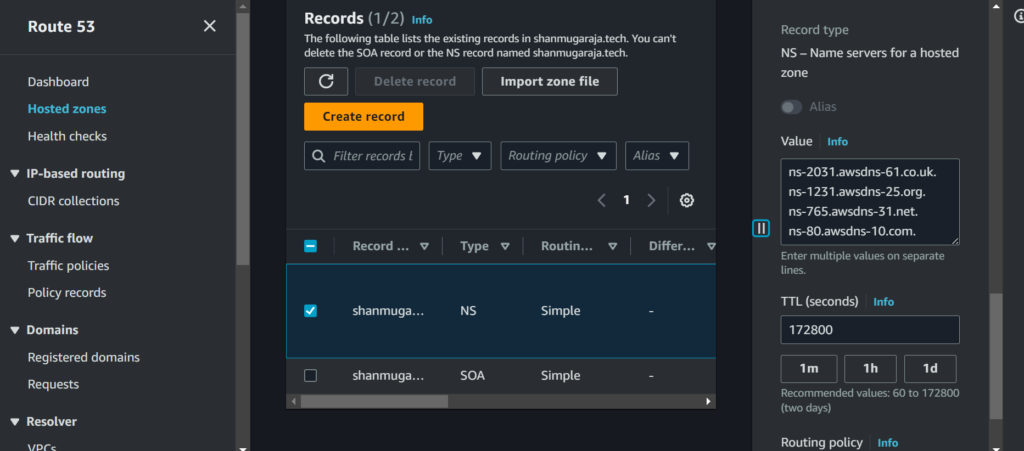
3. AWS will provide four name servers for this zone.
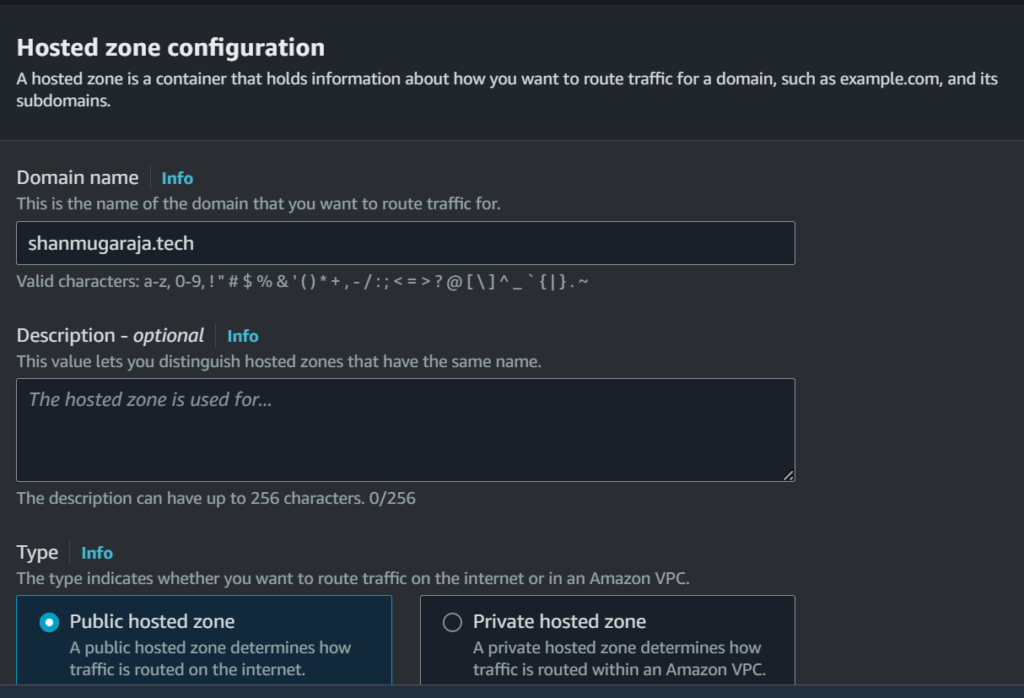
- Configure DNS with Name Servers: If your domain is from another registrar, use the provided name servers in your domain’s DNS settings.
- Create Records:
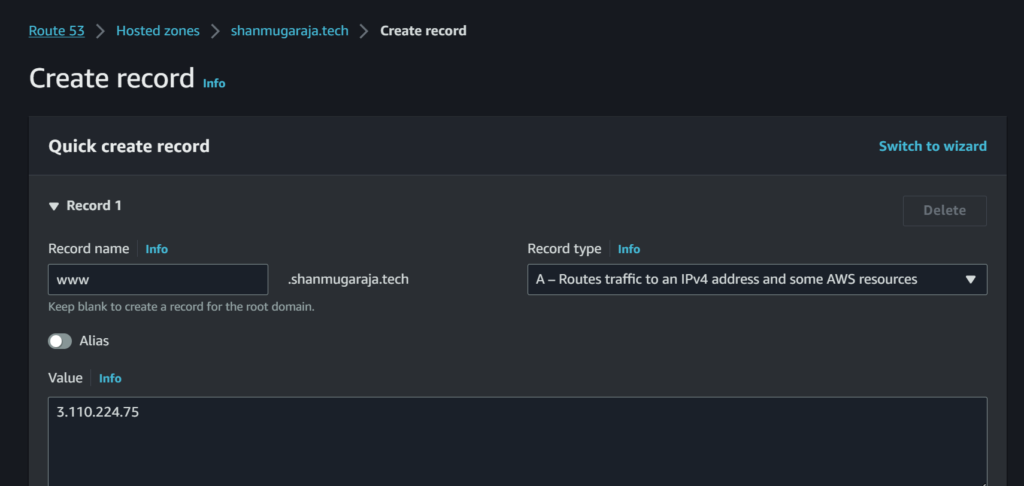
1. Inside your hosted zone, click “Create Record Set.”
2. Enter Record Details:
Name: Enter the subdomain (e.g., www, blog) or leave it blank for the root domain.
Type: Choose A – Routes traffic to an IPv4 address and some AWS resources.
Value: Enter WordPress Instance IP address.
Set TTL (Time to Live): Specify the caching time for DNS resolvers.
3. Save Record Set: Click “Create” or “Save Record Set” to save the new DNS record.
Step 5: Enter the Domain name in browser to check the result
This guide helps set up a Bitnami WordPress instance on AWS EC2 and configure DNS settings using Route 53 for your domain.
https://academy.srtechops.com/wp-content/uploads/2025/01/Remainder-App-Technology-Logo.mp4
Devops Multi cloud Training
Choose the training style that fits your schedule — Self-Paced or Live Interactive Sessions. Both include hands-on projects, expert support, and lifetime access.
| Feature | Self-Paced Training | Live Training |
|---|---|---|
| 🎯 Mode | 🎥Pre-Recorded Session | 🧑🏫Live Class + Recordings |
| 💼 Projects | 🕒 Weekend Real-Time Projects | 📅 Weekdays + Weekend Real-Time Projects |
| ❓ Doubt Clearing | 📞 Weekend Live Support Session | 🧠 Anytime Doubt Clearing Session |
| 👥 Career Support & Mentorship | ❌ No | ✅ Yes |
| 🎓 Global Certification Training | ❌ No | ✅ Yes |
| 🔑 Access | ♾️ Lifetime Access | ♾️ Lifetime Access |
| 💰 Fees | ₹4,999 (2 x ₹2,500) | ₹7,999 (2 x ₹4,000) |
| ℹ️ For More Info | Explore Self-Paced Training |
Explore Live Training |